
Can a Streaming Database Power a Trading Desk UI? (Part 1)
Building a Real-Time Core with Materialize

I used to work at Genesis, a platform for rapidly building financial markets applications. The core idea behind the platform is simple: make it easier to build complex, real-time applications through familiar concepts like database tables and views. For example, to build a real-time view of stock positions, you could join a trades table with a market data table, calculate positions using an SQL-like SUM() function, and serve that to a UI with minimal code.
These ideas have been around for a while in capital markets, and are now becoming common in real-time data processing. Products like Materialize and RisingWave, for example, let developers build live views over streaming data with Postgres-compatible SQL, kept up to date with millisecond-level latency. These ‘streaming databases’ blur the line between databases and stream processors, and are gaining traction in areas like capital markets, manufacturing, and e-commerce.
This got me thinking recently about the trading desk of the future — what role might these technologies play, especially in the parts that don’t need ultra-low latency? Will we see business logic pulled out of applications and centralized in tools like these? Could they power a real-time financial markets UI?
To explore this, I set out to build a positions view powered by a streaming database, to see what’s possible and where the friction lies.
Specification and Setup
For the UI, I wanted a simple grid showing live positions, market value, and theoretical P&L per instrument. It’s a small scope, but it covers many of the things you'd expect in a financial markets application, such as live and static data, real-time calculations, and ticking frontend updates. On the backend, I wanted to approximate a production setup — secure, scalable, and fast — but without glue code or heavy infrastructure.
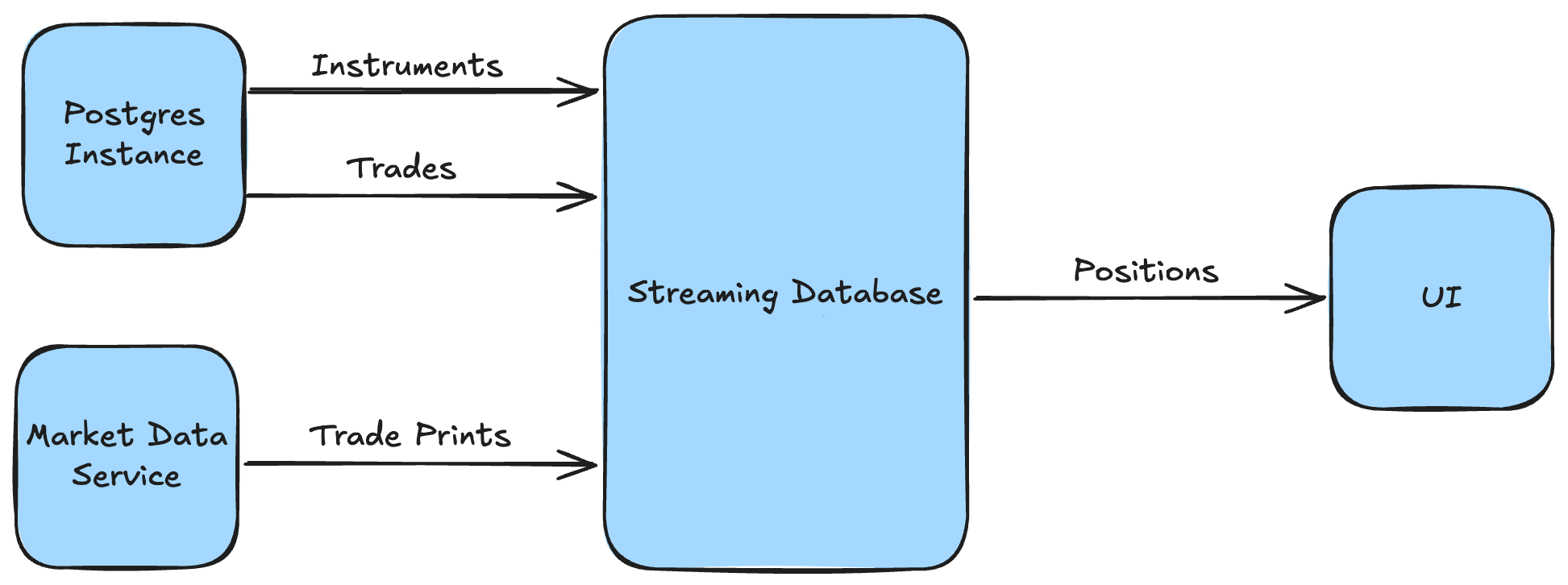
The high-level architecture was therefore simple: trades and instruments flowing from a Postgres instance; market prices piped in from a cloud WebSocket feed; a materialized view for the positions logic; and results streamed out to a grid in the browser.
Choosing the Streaming Database
One of the first big decisions was picking a streaming database to power the backend. I went with Materialize because it ticked all the boxes: broad SQL support, streaming over a standard Postgres connection, and strong consistency guarantees. But this space is evolving fast, and there were other solid contenders.
Materialize
Materialize positions itself as a 'live data layer' for apps and agents. It supports Postgres-compatible SQL, is built in Rust, and uses Timely and Differential Dataflow under the hood, enabling low latency and strong consistency across all views. You can query results on-demand or push updates out over Kafka or a Postgres connection, and it's easy to get started with their hosted offering and local development emulator.
RisingWave
RisingWave describes itself as a 'real-time event streaming platform' and appears similar to Materialize at first glance - SQL-first, Rust-based, and designed to make stream processing feel like working with Postgres. It's fully open source, built around open storage formats like Apache Iceberg, and has a high-performance 'Ultra' edition designed for use cases in financial markets and online betting. Unlike Materialize however, it doesn't guarantee strict consistency, meaning views can be temporarily out of sync.
ksqlDB
ksqlDB is a streaming SQL engine for working with real-time data in Kafka. It supports SQL-like queries over Kafka topics, is open source, and has built-in support for other Confluent products like Schema Registry. However, it requires a running Kafka cluster and uses a proprietary SQL dialect — both of which I was looking to avoid.
Deephaven
Deephaven is a Python-based real-time engine originally built at a hedge fund, tailored for financial data workflows. It comes with its own UI server and scripting environment, so you can build full-stack UIs with just a few lines of Python. It’s powerful and polished, and would be a great choice if I were building this scope “for real.” But it’s a bit of an outlier — most streaming databases don’t bundle a UI server — so it didn’t feel like a good fit for this experiment.
Wiring It All Up
With the streaming database chosen, I spun up a Materialize Cloud instance — a managed service that’s secure, scalable, and production-ready out of the box. Then, I needed data: trades and instruments from Postgres, and market prices from a live feed.
Trades and Instruments
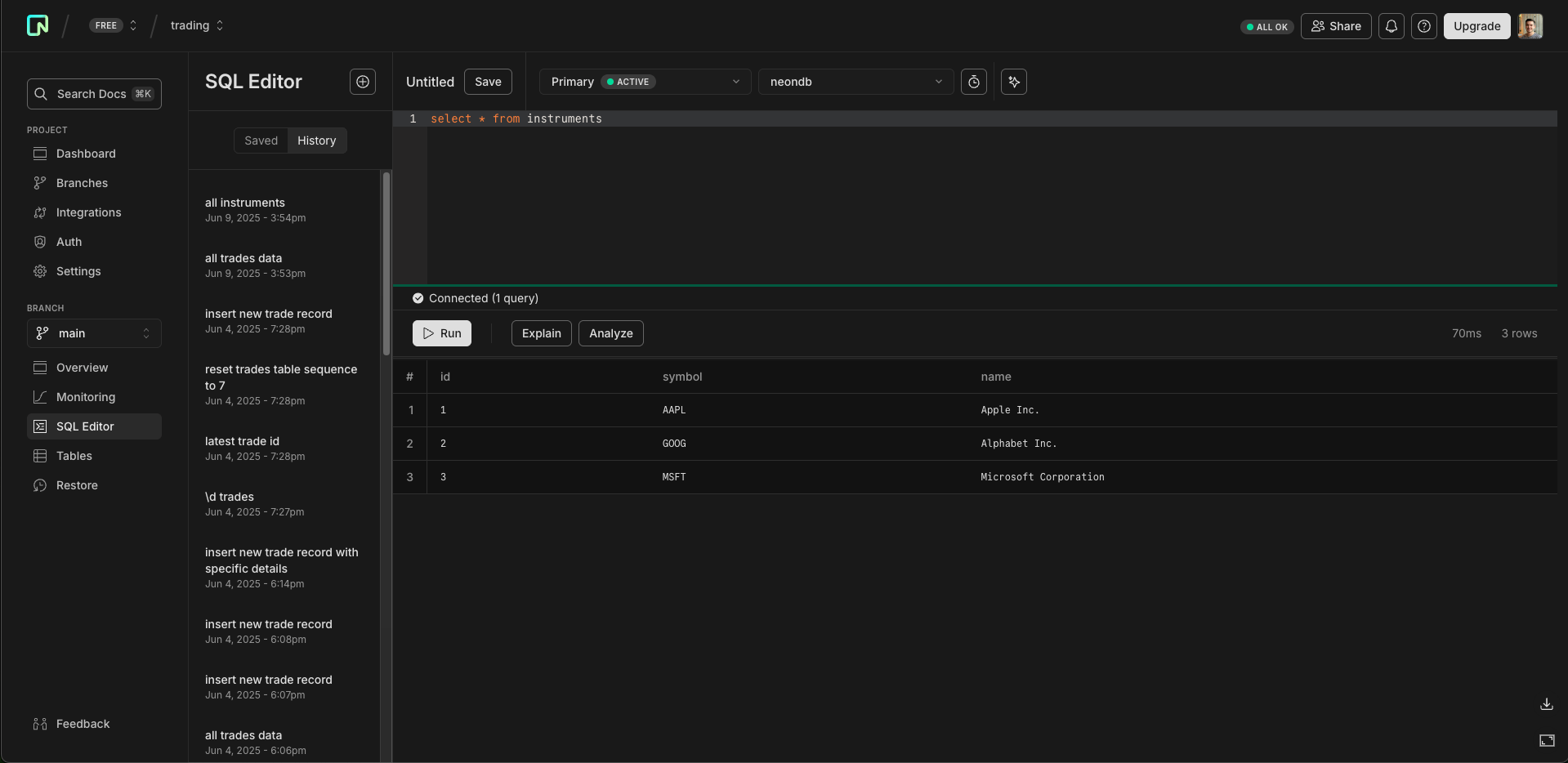
For trades and instruments, I used Neon — a managed Postgres service that’s quick to set up and has a free tier. I used Claude to generate the tables and some fake data, and created a ‘publication’ so Materialize could subscribe to updates in real-time. I registered Neon as a source in Materialize, and the data was live.
Market Data
To keep things realistic, I wanted to use real market data delivered over WebSockets. Claude suggested a few great options — like Databento (great for latency-sensitive use cases) and Polygon (broad instrument coverage) — but I decided to go with Alpaca for its free tier and clean API.
That’s when I realized I’d missed something: Materialize doesn’t support WebSockets as a source. Oops. I could’ve switched streaming database (to e.g. Deephaven) or written a custom process to transform the data, but I wanted to avoid changing stack or adding glue code.
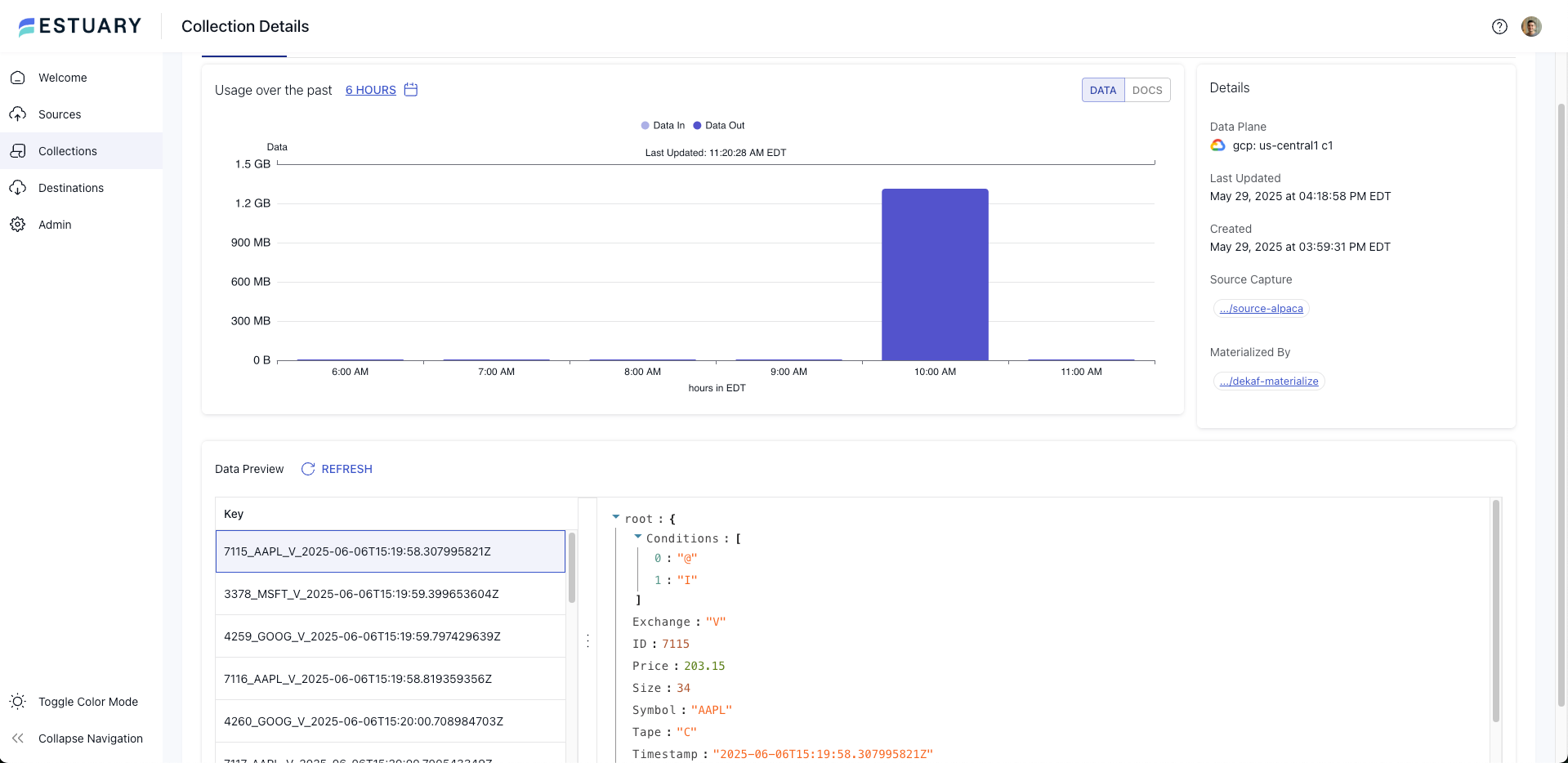
That’s when I found Estuary Flow: a real-time ETL tool with native support for both Alpaca and Materialize. Within a few minutes, I’d configured Estuary’s Alpaca connector for the IEX trades stream, mapped it to a Kafka topic, and registered it as a source in Materialize. Live prices were streaming in.
Positions
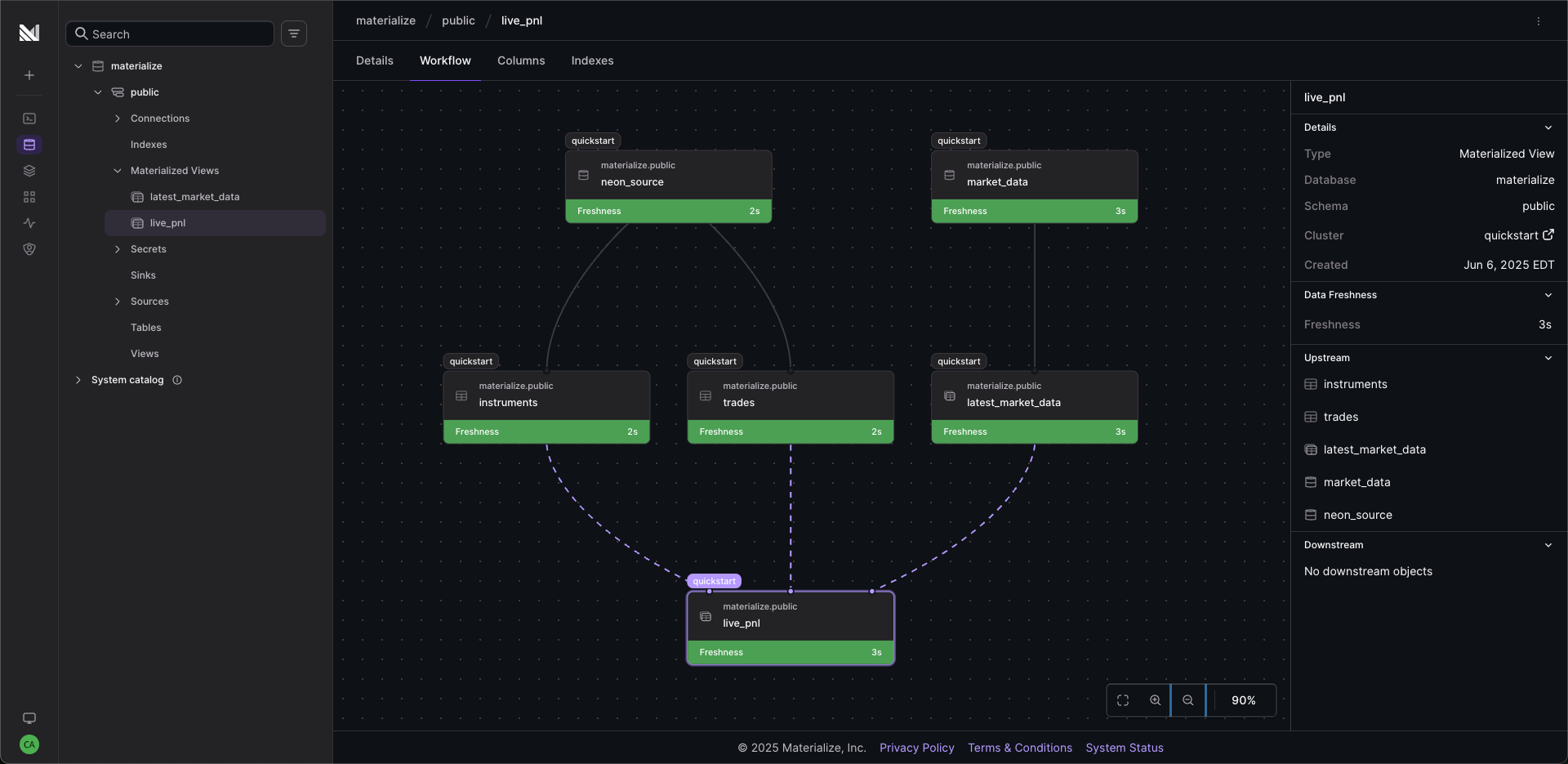
The final step was to pull trades, instruments, and market prices together into a live positions view. I had Claude generate two materialized views: one to surface the latest trade price per instrument, and another to join everything together, aggregate trades into positions, and calculate market value and P&L.
I ran SELECT * FROM live_pnl; and, after a short ‘hydration’ period, watched my positions update in real time as trades and prices streamed in.
Wrapping Up
So far so good. I had a real-time view of positions, fed from live market data and a Postgres database, without any glue code. And since it ran on production-grade managed services, it didn’t feel far off a real setup, even if I hadn’t optimized for latency, scale, or security.
The next question: can this view drive the UI, and how easy is that in practice? That’s the focus of Part Two.